Write options
When you write, you sell options to the traders buying them. You collect the premium up front, and your collateral stays locked behind them until they decay, get exercised or you buy them back.
You write calls with the token itself, so if one is exercised you deliver the tokens. You write puts with USDC, so if one is exercised you pay the strike. Deposit what you want to write with first (see Deposit and withdraw).
Use the Write page
Open Markets and turn the trade card to SELL: a short ticket on the token the page has selected. Pick calls or puts, the half-lives to quote on, ATM, OTM or WINGS, the IV that prices the strikes, and how much to lock; it lists each strike with its premium per token and what a fill there pays, and confirms in one step. The full Write panel, with the premium grid, is at /write (the screenshots below). It works on one token at a time, the one named at the top.
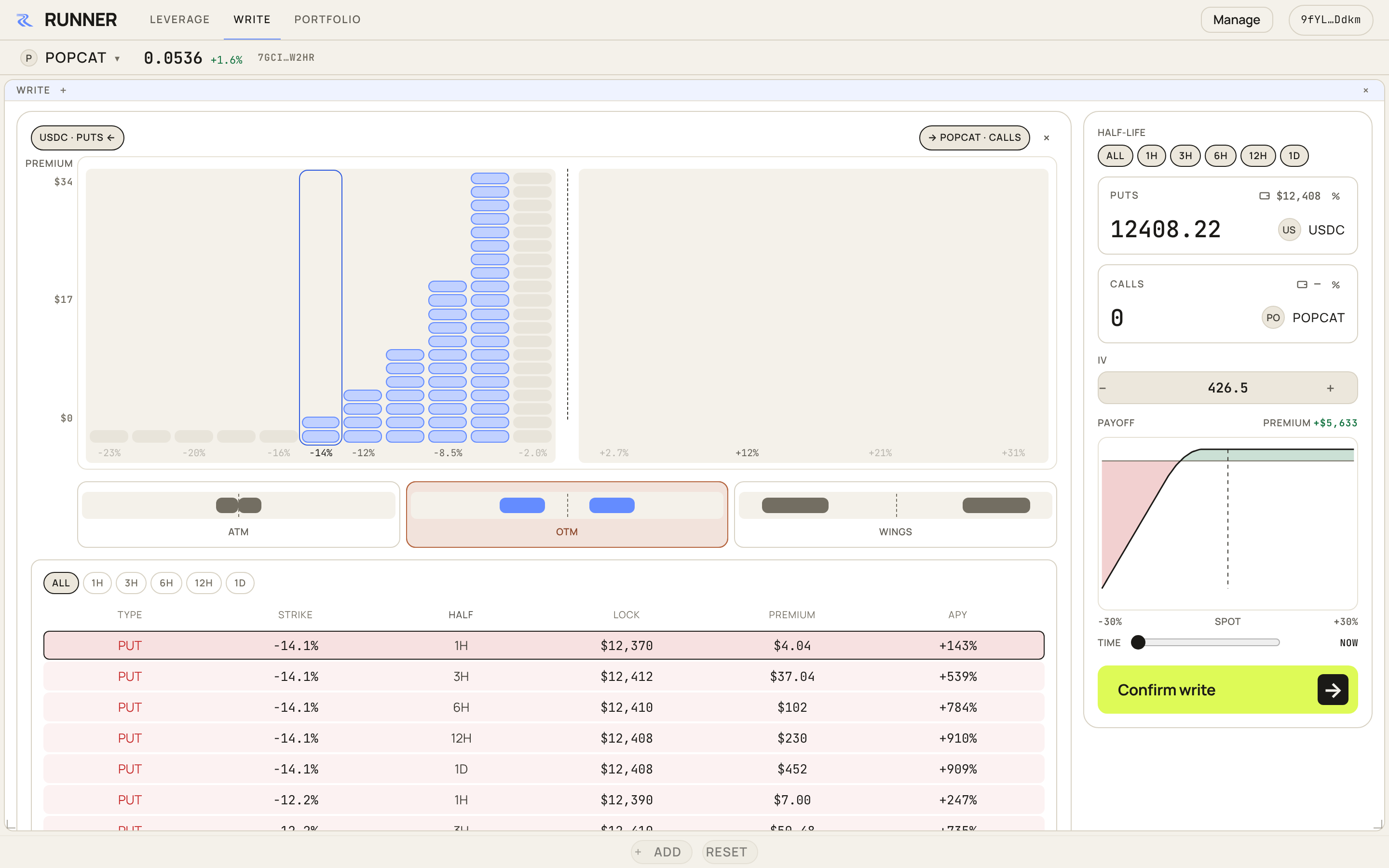
Start on the right. Say how much USDC you will put behind puts, how much of the token behind calls, and which half-lives you want to write on. Short half-lives decay fast and pay less. Long ones pay more and tie up your collateral for longer.
Then choose where you sell. The grid runs across strikes, puts on the left and calls on the right, and each column is the premium you ask at that strike. ATM sells close to the price, where premium is highest and you are most likely to be assigned. OTM sells further out, and WINGS only far out. Pick a shape and adjust the grid by hand.
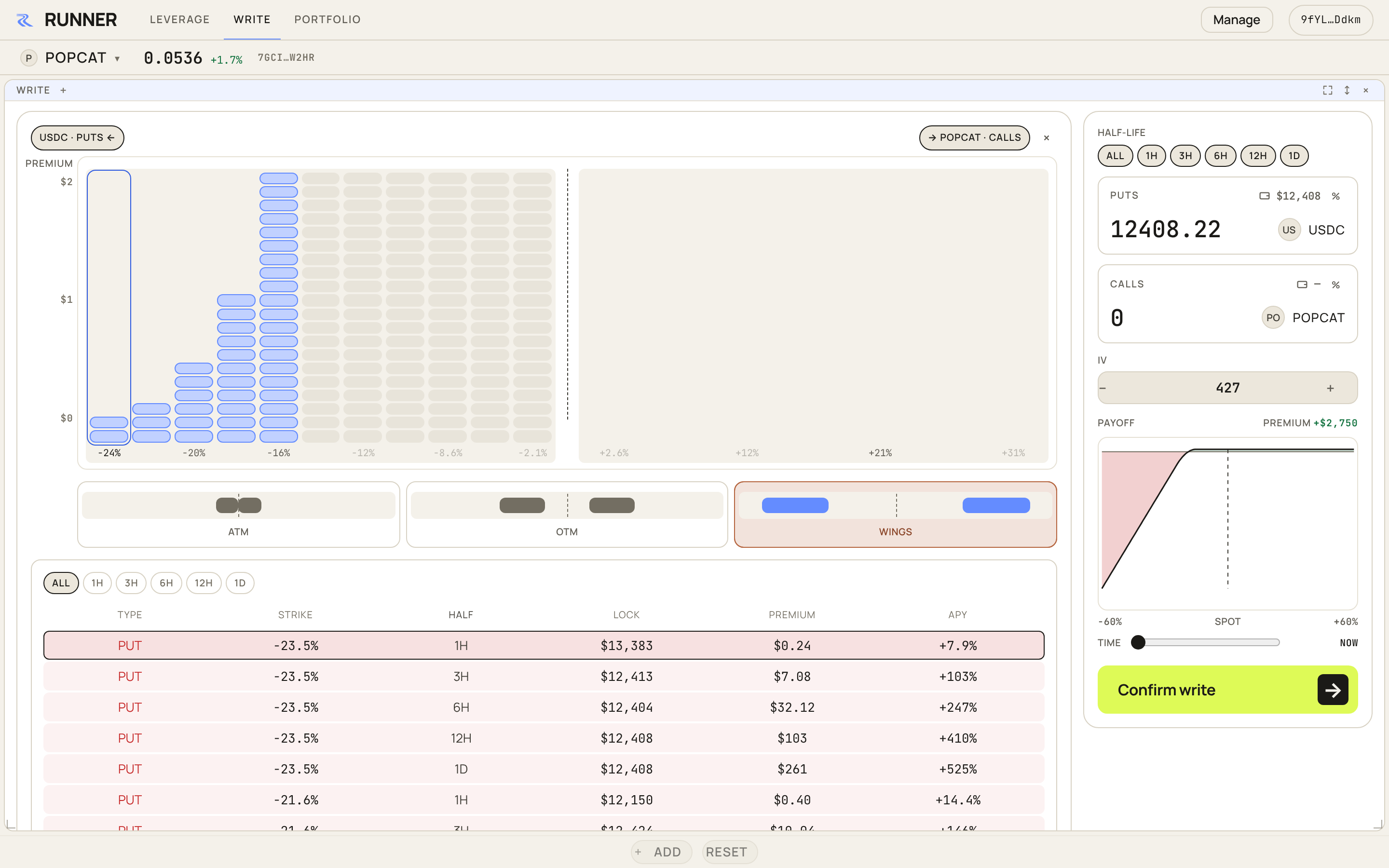
The table underneath lists every series you will write, with what it locks, what it pays and the yearly rate.
The payoff chart on the right shows what all your writes do as the price moves, and the time slider under it shows it later on. The page prices each strike from a volatility estimate, shown as IV. Raise it to ask more, lower it to ask less.
When it looks right, press CONFIRM WRITE and sign once for each series that changed.
After you confirm
Your asks sit on the book until traders buy them. They lock nothing while they wait (see Backing at fill). When one fills, you get the premium and a SELL CALL or SELL PUT row appears in your positions. To change your quotes, edit and confirm again.
Fees
When a trader buys your ask, you are the maker and the buyer is the taker. The taker pays the taker fee, 3 bps of the option's notional and never more than 10% of its premium. On markets opened under the current schedule the maker pays nothing, so a filled ask credits you the whole premium. A market can instead set a maker fee or a maker rebate when it opens; the confirm shows which, in dollars. See Fees.
To keep quotes up without signing each change, let a bot write for you: Run a market-making bot.
Next: Close a short. The risks of writing are in Risks.