Buy a call or put
You buy options on the Leverage page, in the panel on the right. You tell it which way you think the token is going, how much you want to put on it, and how long you expect the move to take. It shows you every way to spend that amount and what each one pays.
Choose a direction
Pick LONG if you think the token goes up. That buys calls. Pick SHORT if you think it goes down. That buys puts. Either way you are buying, so the most you can lose is what you pay.

Choose a hold
If the token trades on more than one half-life, HOLD asks how long you expect the move to take. Shorter options decay faster and cost far less, so the same money buys more of them. That means more leverage, if the move comes soon. Longer ones cost more for the same size but are still there if the move takes a day instead of an hour.

Set your max risk
Type the most you are willing to lose. When you buy an option, that amount is the premium. You pay it once, up front, and the option can never cost you more, whatever the token does. The number you type is your premium, your cost and your worst case.
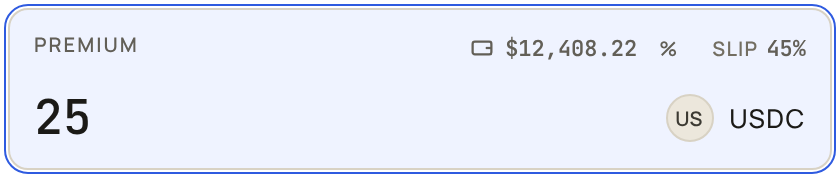
The box opens at 1 USDC, so there are bets to look at straight away; type over it. The balance above the box is your wallet, and % fills in a share of it.
Pick a bet
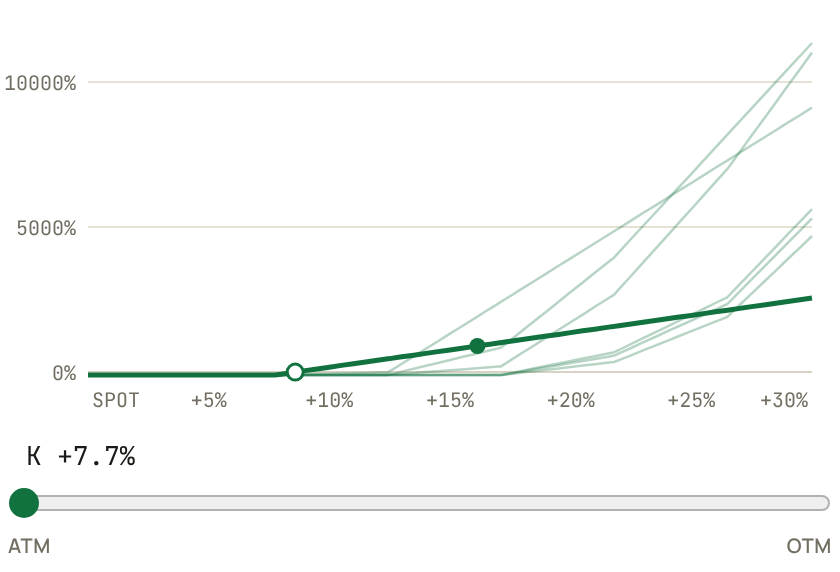
The chart draws every bet that spends your premium, and the slider under it steps through them. Toward ATM, the strike is close to today's price. You need a smaller move to be paid, and you get less for it. Toward OTM, the strike is further away. It is cheaper per unit and gives more leverage, and it needs a bigger move. A bet is named by how far its strike is from the price, like K +7.7%, and it may spread across a few strikes.
Read the card
The card shows what the token has to do for you to make money. Each row is a payout (break-even, then two, five and ten times your money back) and each column a moment (now, and at the end of your hold). Reading across a row shows what waiting costs, because your option is shrinking while you wait.
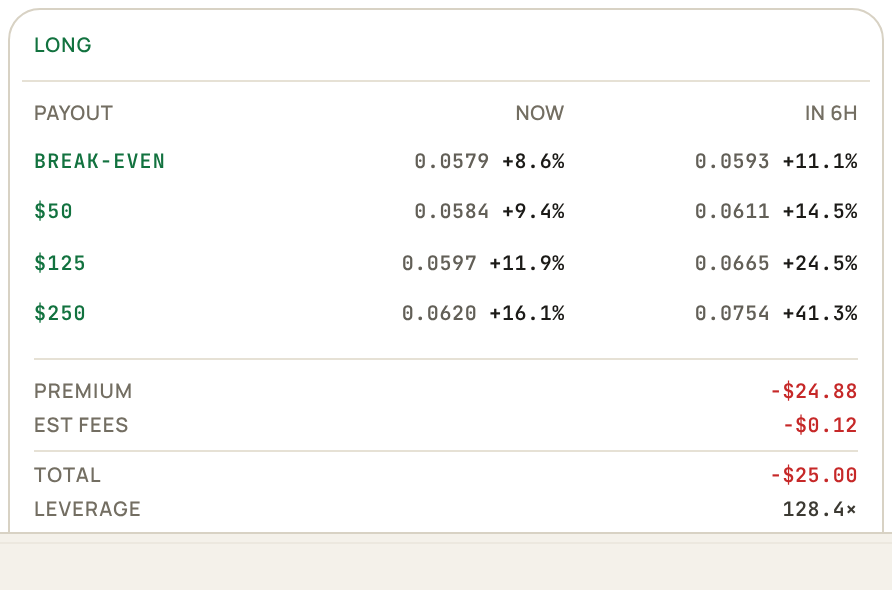
Under that is what leaves your account (premium plus the estimated fee), the leverage, and the carry. The fee is 3 bps of the option's notional, never more than 10% of the premium, on each market's own terms (see Fees). DECAY 1H means half of it is gone in an hour.
Confirm and sign
The button at the bottom says LONG or SHORT. Press it and the confirm dialog shows the SLIPPAGE you are buying under, then every strike you are buying, with its size and cost, and the total. The pencil beside SLIPPAGE changes it right there, if you want a tighter or looser limit before you sign. Press Confirm and sign in your wallet.
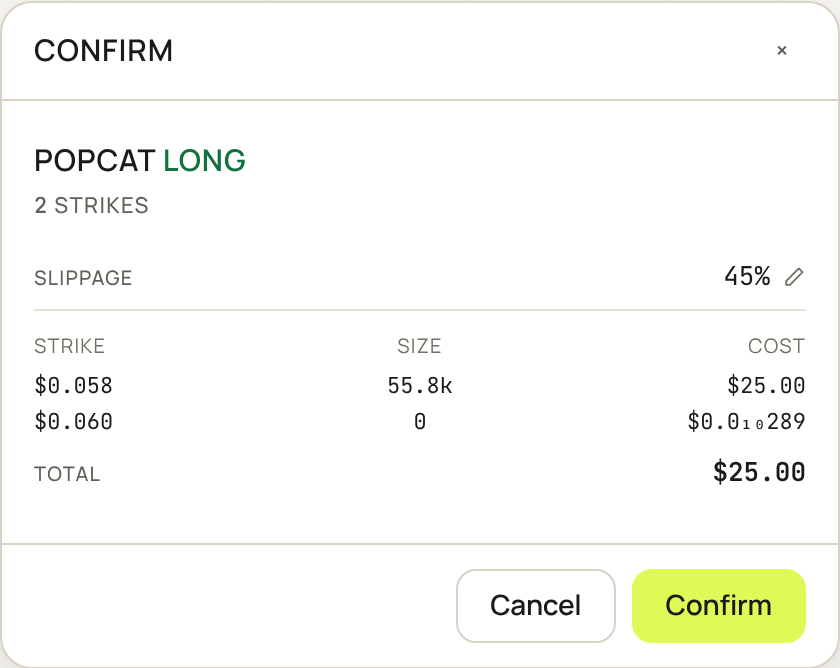
Buys are market orders, bounded by SLIPPAGE (45% unless you change it, in the corner of the premium box or with the pencil in the confirm). If the book has moved past that by the time your transaction lands, nothing fills and nothing is spent.