Your first option
This walks through one complete trade on the desk. You fund, buy a small call, watch it decay, and close it. Use an amount you are happy to lose. It is real money.
You need a Solana wallet holding USDC and a little SOL for network fees.
1. Connect your wallet
Open the desk at trade.userunner.fun and connect your wallet with CONNECT at the top right.

The desk signs every transaction in your wallet and never holds your keys.
2. Pick a token
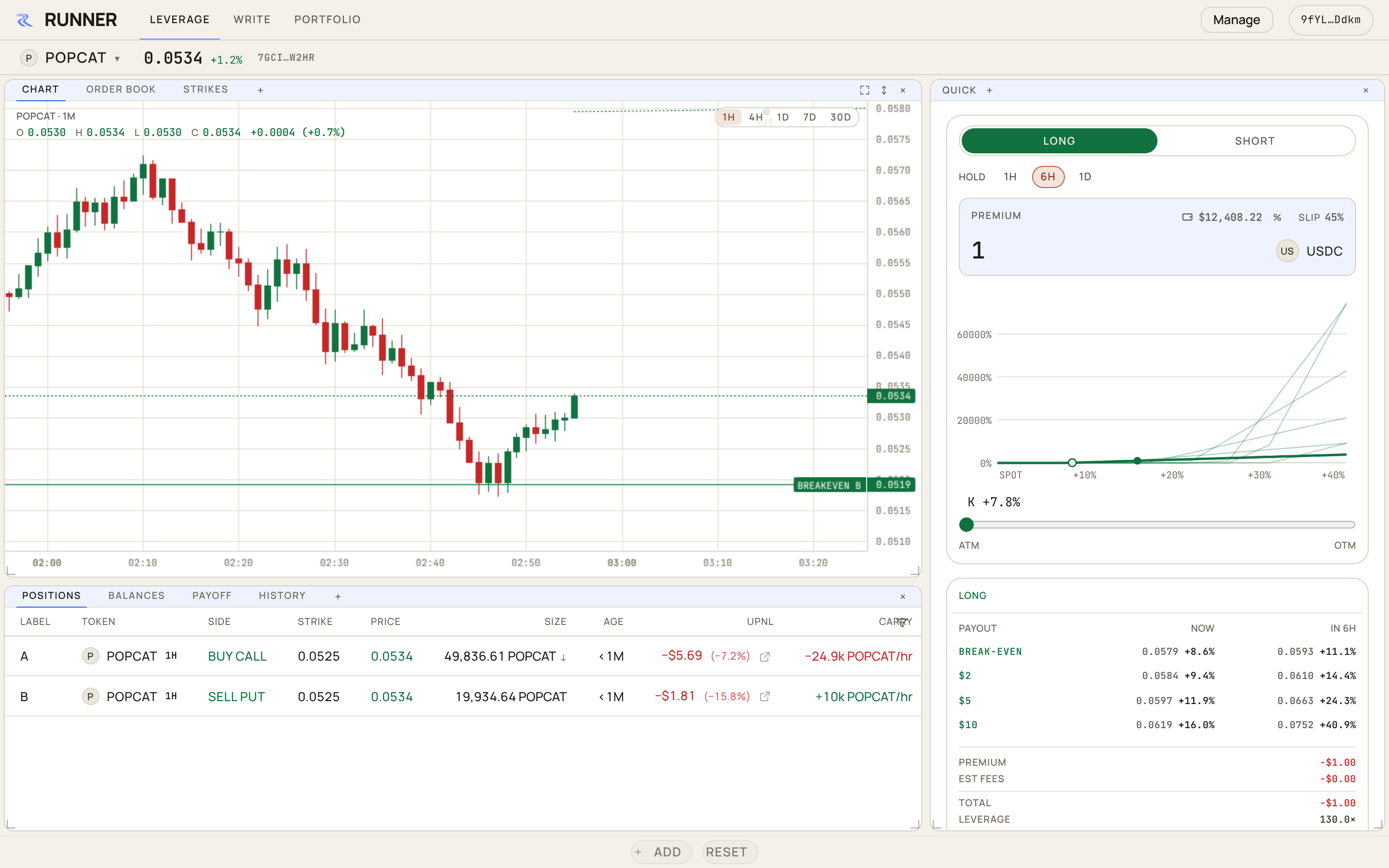
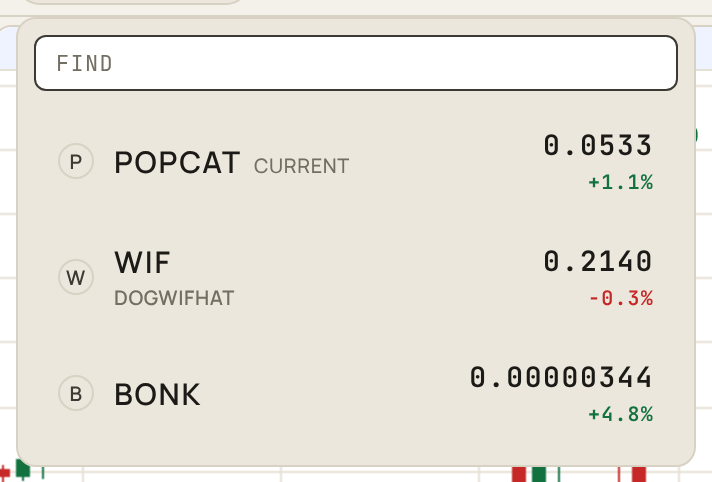
The token at the top of the chart is the one the desk is on. Press it to open the picker, type a symbol or name under FIND, and pick one. The chart shows its price.
3. Choose a bet
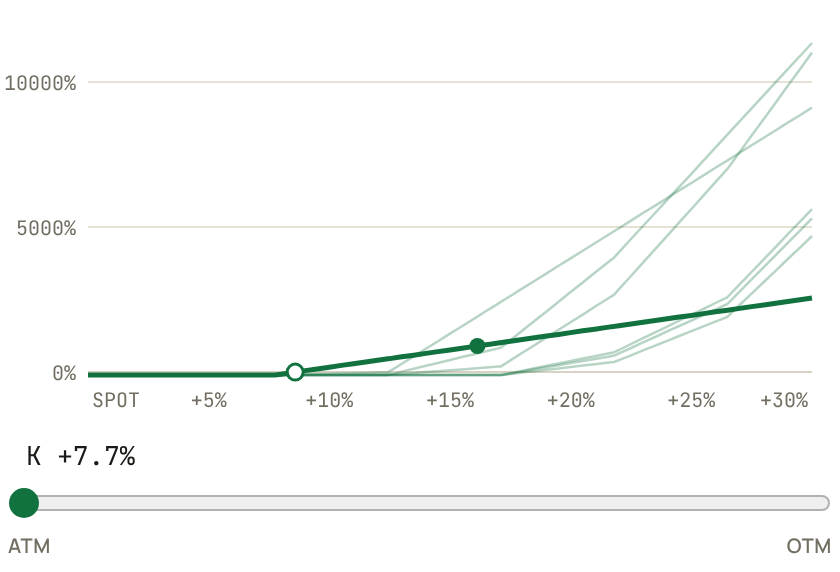
The trade panel is on the right of the Leverage page. Leave it on LONG, which buys calls. Calls pay if the token goes up. Type the most you are willing to risk, say 5. That is your premium and the most this trade can cost you.
It now shows every way to spend that $5 on the book. Drag the slider under the chart to step through them. Strikes near today's price need a small move and pay less. Strikes further out are cheaper per unit and need a bigger move. If there is a HOLD row, pick how long you expect the move to take; shorter is cheaper and gives more leverage, longer gives it more time.
4. Read the card
The card under the chart tells you what the token has to do. The BREAK-EVEN row is the price where you get your premium back; the rows under it are the prices that pay two, five and ten times it. NOW is if the move happened this second; the column to its right is at the end of your hold. Reading across, the prices move further away, because your option shrinks while you wait.
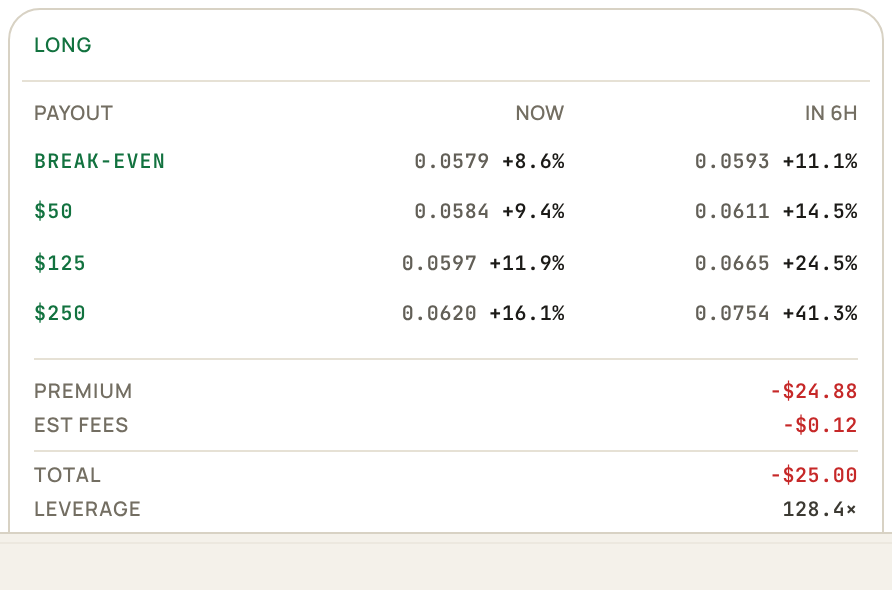
Below that is what you pay, fees included, and how fast it decays.
5. Buy
Press the green LONG button at the bottom of the panel. The confirm dialog shows the slippage at the top (the pencil changes it), then each strike you are buying, with its size and cost, and the total. Press Confirm and sign in your wallet. If your trading account is empty, the same signature opens it and funds it from your wallet. The option is yours once the transaction lands.
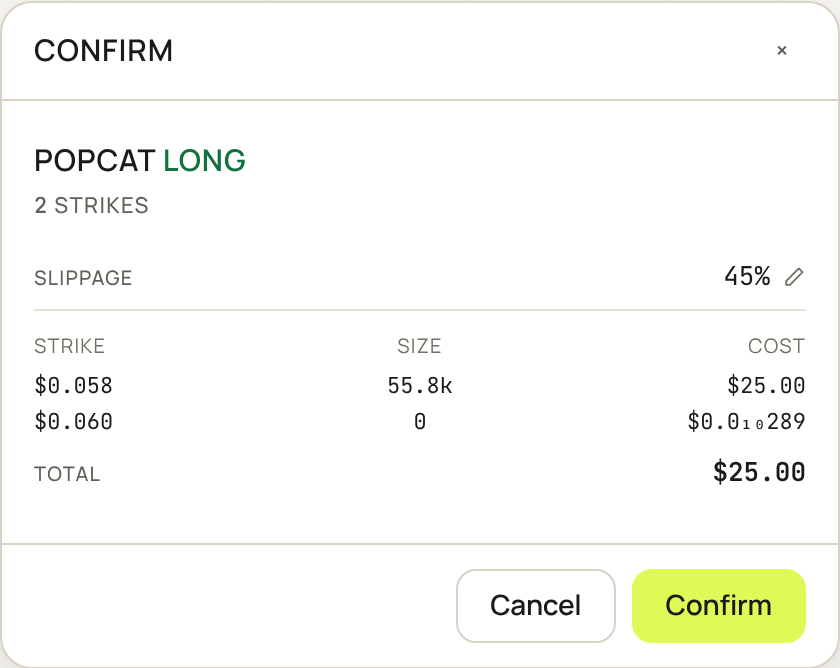
A bet can be more than one strike, or more than one half-life, when that is what your premium buys. Every leg is in the dialog before you sign.
6. Watch it decay
Your option appears in your positions, under the chart, with a letter that also marks its break-even on the chart. SIZE is how many tokens the option still controls, and it shrinks every second. uPNL is what you would get for it now against what you paid. See Track your positions.

7. Close it
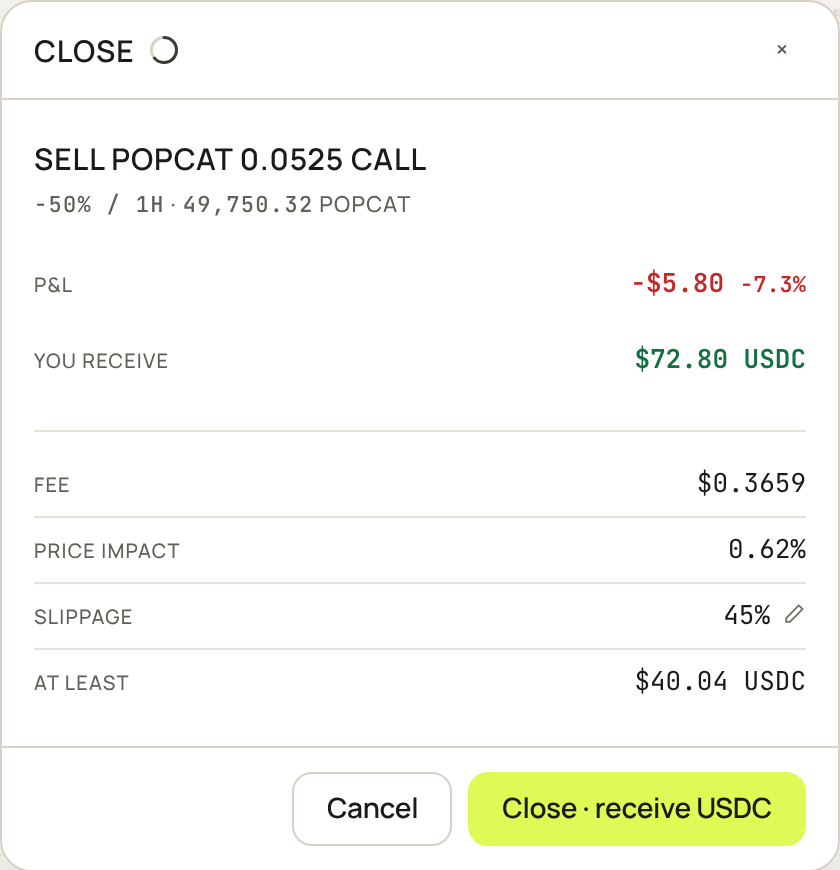
Press CLOSE on the row. The desk picks the best way out that can execute now, selling it on the book or exercising it, and shows what you will receive before you sign. See Close a position.
8. Withdraw
Press MANAGE at the top, choose WITHDRAW, and move your USDC back to your wallet. See Deposit and withdraw.